AIX 7.2 / 7.3
Run as root.
- OS level and TL/SP
- Firmware and adapter microcode
- Patches and APARs, with CVE exposure via IBM's FLRTVC tool
- Accounts and passwords
- SSH
- Network services
- File permissions
- Logging
- Backup and HA
- Performance
Free, read-only PTxray checks AIX, VIOS and IBM i: 600+ checks on AIX and VIOS, 134 on IBM i. See what it finds the same day you run it.
Read-only. Runs privately. We see nothing unless you upload it.
01 Download → 02 Run → 03 Upload → 04 Blueprint
PTxray is free and open source (Apache-2.0). No form, no email. Download the latest release from GitHub, extract it, then run the commands below.
Get PTxrayOpens the latest release on GitHub. Download ptxray-report-aix-*.tar for AIX and VIOS, or ptxray-report-ibmi-*.tar for IBM i. The loose runner files don't run on their own.
Extract the bundle you downloaded, then run it. Read-only. Your report stays on your system unless you upload it. It downloads the latest IBM and CISA security data directly when it runs (plus IBM's FLRTVC tool on AIX) and sends no host data. Run time depends on system size; schedule it in a quiet window.
AIX 7.2 / 7.3 — as root
mkdir ptxray-aix && cd ptxray-aix
tar -xf ../ptxray-report-aix-*.tar
mkdir report
ksh dist/tools/aixray-scan.ksh --html --pdf --json --compliance all --out report
AIX prerequisite: root, ksh93, and the system OpenSSL. curl is not required. To skip the download, run with --offline; checks that need data the host has not already cached report NOT ASSESSED.
VIOS — as root (from padmin, run oem_setup_env first)
mkdir ptxray-vios && cd ptxray-vios
tar -xf ../ptxray-report-aix-*.tar
mkdir report
ksh ptxray-vios.sh --html --pdf --json --compliance all --out report
Same AIX bundle. No separate VIOS download.
IBM i 7.4 / 7.5 — PASE ksh, as QSECOFR
mkdir ptxray-ibmi && cd ptxray-ibmi
tar -xf ../ptxray-report-ibmi-*.tar
mkdir report
ksh dist/tools/ibmi-scan.ksh --html --json --compliance all --out report
No network route? Run with --offline. Checks that need data this host has not already cached report NOT ASSESSED; see each bundle's README-REPORT.md.
Open report/report.html in a browser. Prerequisites are in each bundle's README-REPORT.md.
New to auditing AIX? Read the audit guidePack the report folder (tar -cf report.tar report) and upload it. One file, up to 4 MB. Reports contain system details; they stay private to our team.
Upload your reportA senior architect reviews it, and your Black Box Blueprint comes back by email.
After your Blueprint, the next step is yours: do the work yourself, or talk it over with us.
Talk to JohnLab AIX. Real findings. Fake names. Open it.
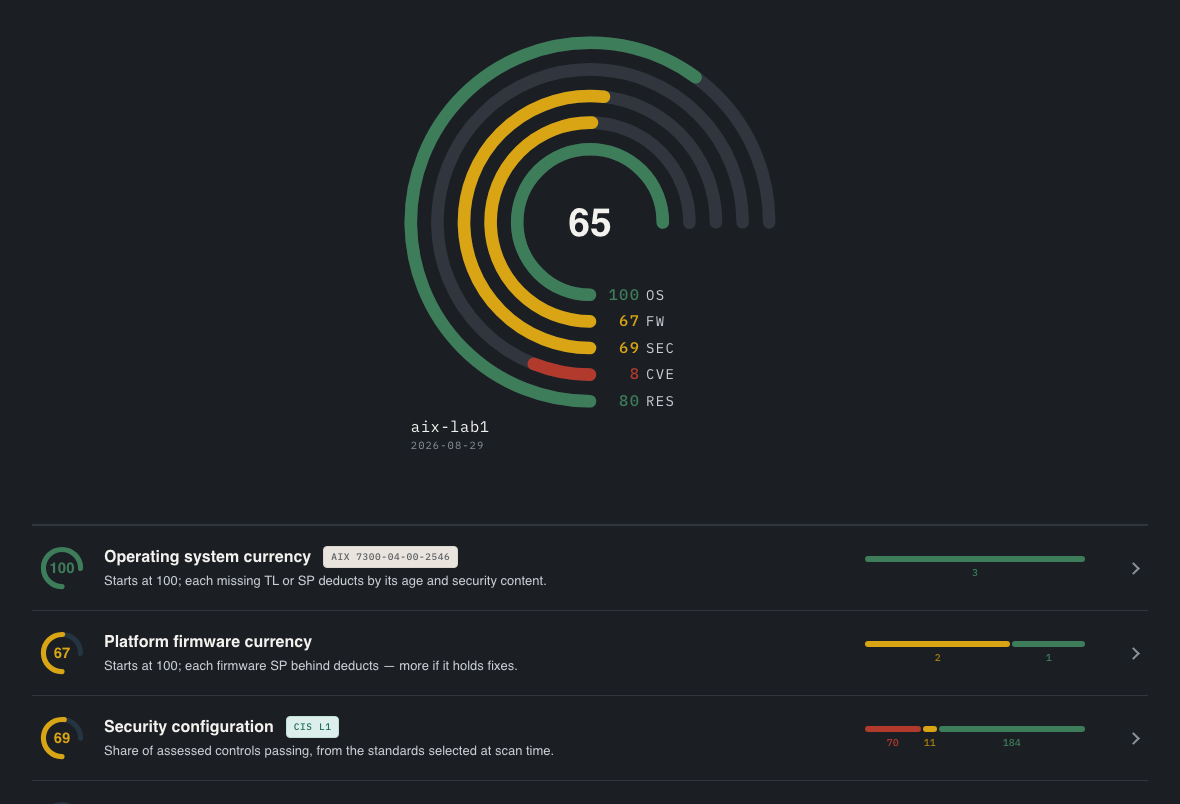 Open the example
Sample from an earlier PTxray version.
Client, Linux engagement
Linux engagement, not a PTxray result.
Under John's guidance, we have made tremendous advancements in our patching processes, technical solutions, and overall Linux infrastructure management. As a result, our Linux environment is more stable, efficient, and reliable than at any point in its history.
Before PowerTrue, John did Power work at Nationwide Insurance and LightEdge Solutions. PowerTrue is a Silver IBM Business Partner.
Run as root.
Run as root, after oem_setup_env.
Run as QSECOFR.
AIX checks are aligned with CIS and DISA STIG. Aligned with, not certified.
IBM support is great, right up until they tell you to update. If you're back-level, that's the first thing they'll say, and then you're on your own working out how to get there without breaking anything. Support also doesn't look at your security. A Blueprint covers both.
The free Blueprint is complete: every step, every command, every back-out. You can take it and do the work yourselves without ever paying us.
It's open source (Apache-2.0), so read the code yourself or have an AI agent go through it. Its checks are read-only; it changes nothing. Your report and host data stay on your system unless you upload them. To check currency, it downloads the latest IBM security data and the CISA known-exploited list straight from IBM and CISA when it runs (plus IBM's FLRTVC tool on AIX). It sends no host data. Use --offline to skip the download.
Your part is one read-only run and one upload. Run time depends on system size; schedule it in a quiet window. We do the analysis. What comes back is already sequenced, so when you do make time, you're not starting from zero.
Rather have John run it with you? Book a 30-minute Walkthrough
Free. Complete. Yours to keep, even if you never hire us.